How to submit your application
Users can setup framework and start deploying application easily on the Lyrid platform with only 3 steps!
To get started
Log in to Lyrid's Platform
Navigate to: → Application → New App

Step 1. Choose Platform
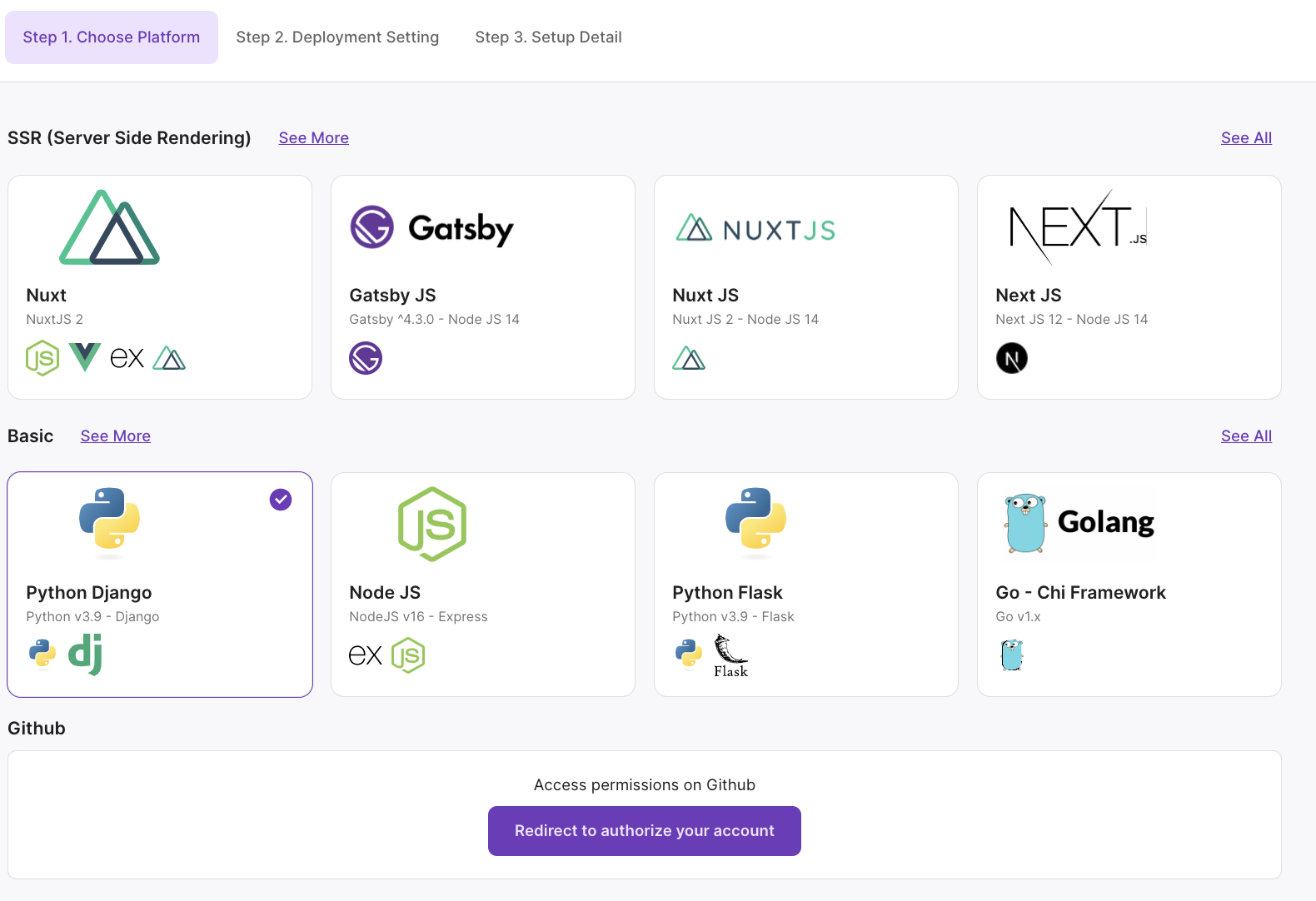
Lyrid offers a range of platforms and languages for users to choose from. Users could also authorize a GitHub integration by logging into their GitHub account from the Lyrid platform, and generating a secret key for Lyrid deployments and code updates.
Step 2. Deployment Setting
Choose application deployment setting between shared or dedicated clusters and single or distributed region.
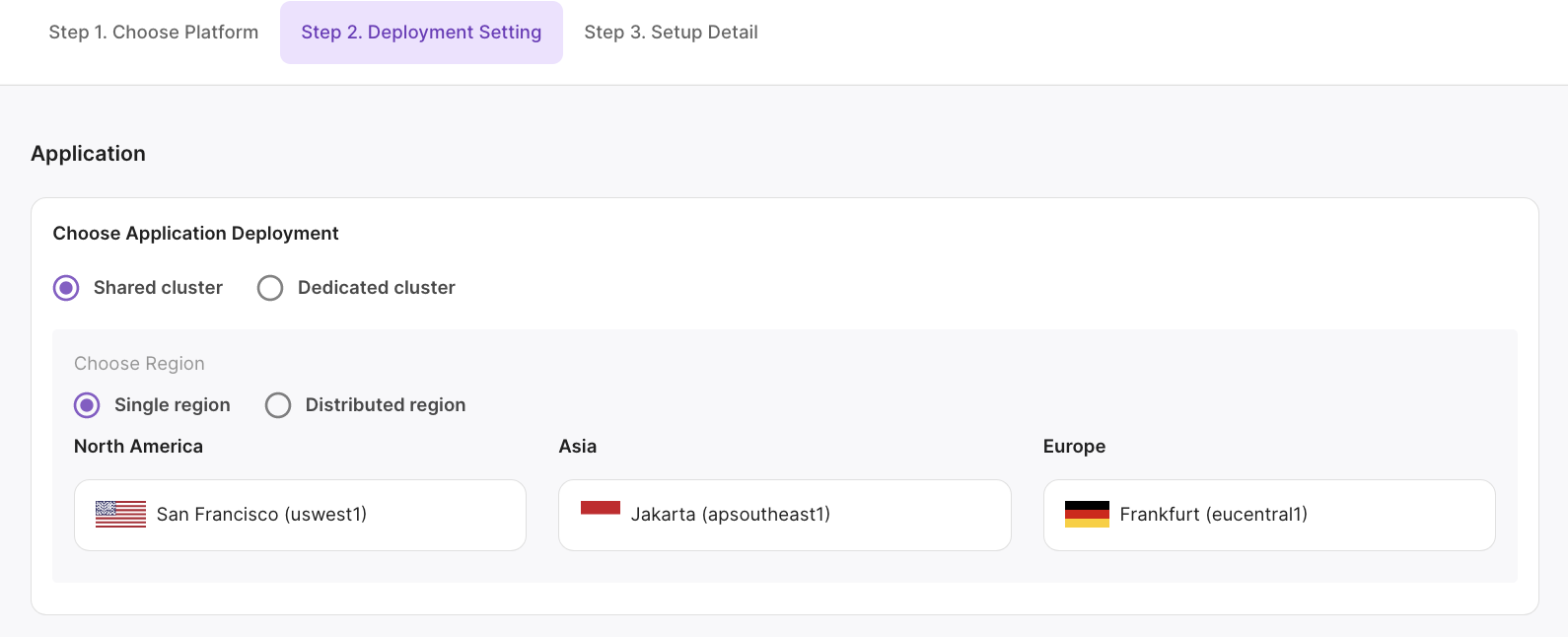
Shared Cluster Single Region
Lyrid offers shared clusters for all users. Users can then choose a specific region for Lyrid supported Kubernetes clusters to deploy their applications and services. Currently, Lyrid supports 3 shared Kubernetes cluster regions: San Francisco (uswest1), Jakarta (apsoutheast1), and Frankfurt (eucentral1).
Distributed Region
Pro and Enterprise users can get access to an app/microservices distributed region deployment using Lyrid clusters in 3 shared Kubernetes cluster regions: San Francisco (uswest1), Jakarta (apsoutheast1), and Frankfurt (eucentral1). Depending on where the end-point/service is accessed, Lyrid uses a geolocation routing, meaning end-users will access the service/application from their nearest Lyrid Kubernetes cluster.
Dedicated Cluster
Enterprise users have the ability to deploy applications, solutions or microservices into a specific dedicated cluster. For example, a user that bought or on-boarded a machine cluster into Lyrid, is able to deploy or attach their application, database, storage, or other microservices within their Kubernetes cluster.
Step 3. Setup Detail
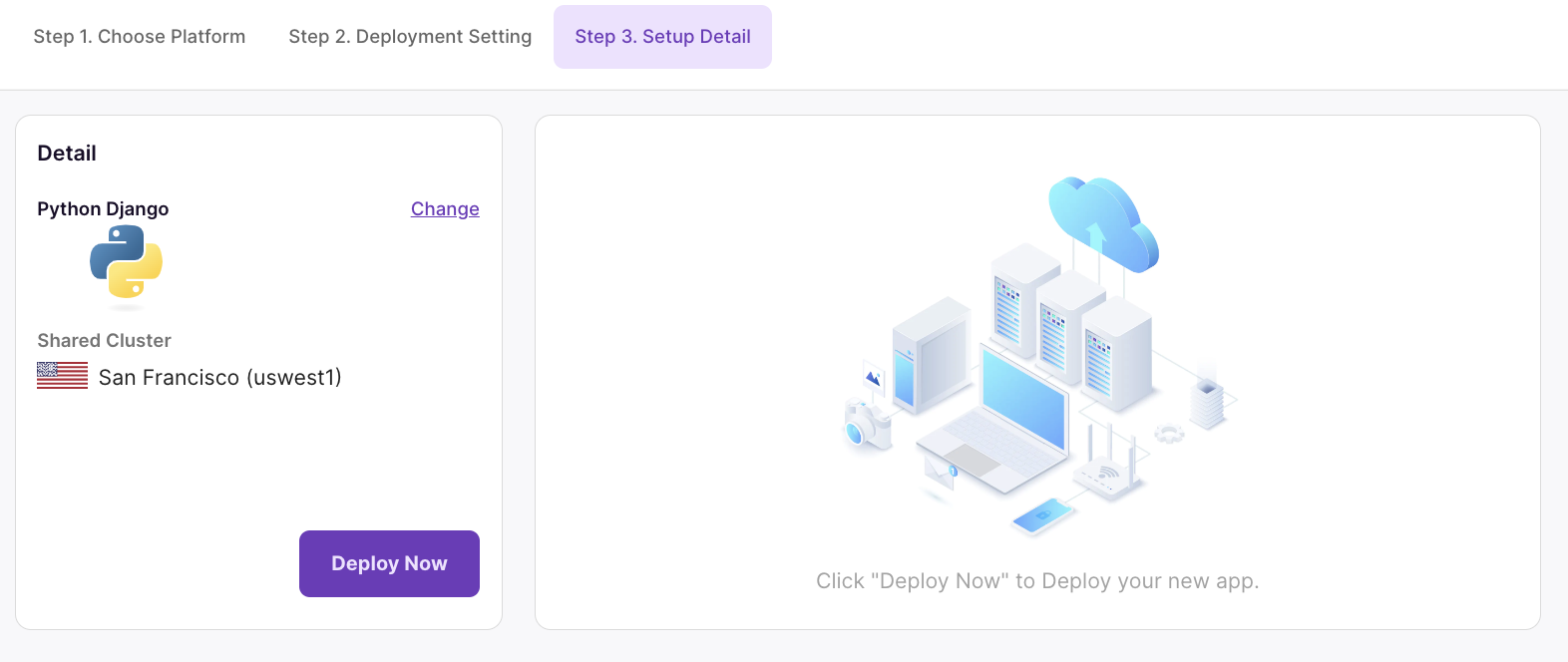
Confirm the details on the summary screen and press "Deploy Now"!
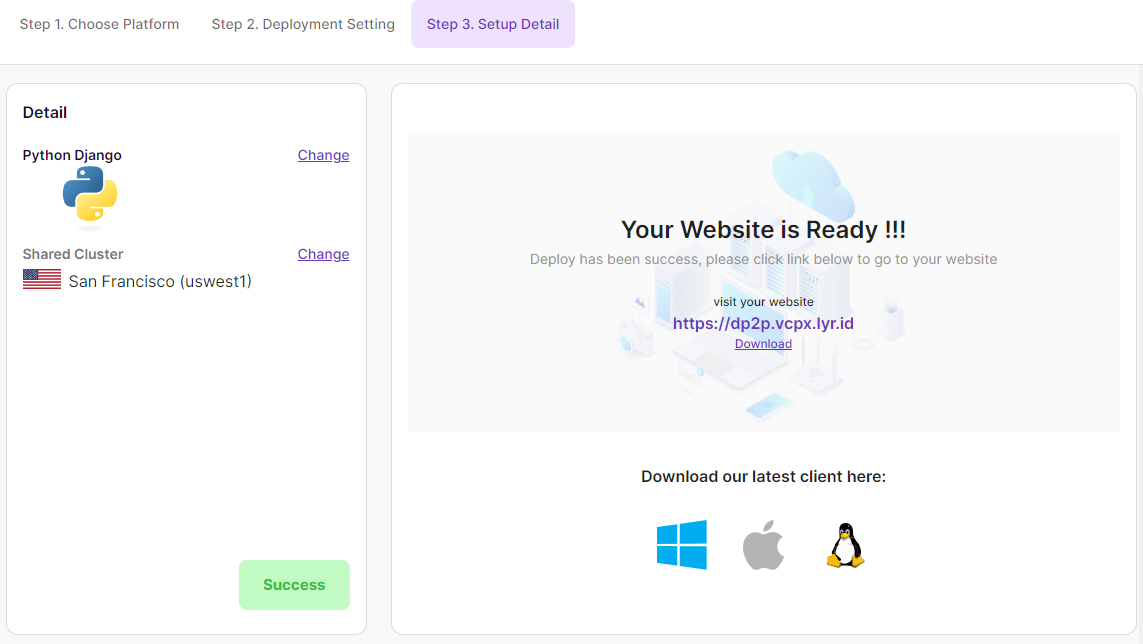
Done!
You can check out your app at the endpoint specified